

Remote work, hybrid teams, and multi-site operations are now part of daily life for many organizations. How can you maintain effective collaboration in this context? Collaboration tools make it possible to organize work seamlessly, improve communication, and centralize information. Whether you’re a startup, an SME, or a large enterprise, there’s a solution tailored to your specific needs. The key is to choose a tool that aligns with your actual requirements.
To help you make the right choice, Qim info has selected the ten best collaborative tools of the moment, to compare according to your priorities:
- Coordination: ensure clear, ongoing communication between teams.
- Productivity: simplify task management and speed up processes.
- Accessibility: enabling everyone to collaborate wherever they are, on any medium.
- Compatibility: easily integrate existing tools into your work environment.
How do you choose the right collaborative tool for your team?
A powerful tool that isn’t well-aligned with your needs can slow down group dynamics. Before making any comparisons, it’s best to consider the specific use cases, the constraints of your environment, and your teams’ expectations. The project manager plays a crucial role in guiding these decisions and ensuring the team adopts the solution. To learn more about their responsibilities, check out our article: Everything You Need to Know About the Role of a Project Manager.
Here are the essential criteria to consider:
Ease of use
A tool that is easy to use makes it easier for all employees to adopt. Interface ergonomics play a decisive role, especially when technical and non-technical profiles work side by side. The more intuitive the tool, the greater the collective commitment.
Functional relevance
Instant messaging, project management, file sharing or task tracking: every team has its own priorities and challenges. To compare solutions effectively, it’s essential to draw up a clear list of day-to-day uses, and to identify real-life use cases (meetings, document validation, reporting, customer follow-up, etc.). This approach enables you to identify the tools that are really best suited to your needs, without getting bogged down in superfluous functionalities.
Compatibility with your digital environment
The effectiveness of a collaborative tool also depends on its ability to integrate with existing tools. To avoid disruptions in work processes, you need to choose a solution that is compatible with your ecosystem: Google Workspace, Microsoft 365, CRM, business software or communication platforms.
Cost and scalability
A good collaborative tool must be able to evolve with the company. Formulas must be adapted to team size, usage and available resources. You need to compare the number of users included, the functionalities available in each plan, and any restrictions. A clear, modular offer with no nasty surprises is a real plus in the long term.
Eliminating organizational irritants
Choosing the right tool also means resolving current dysfunctions: fragmented communications, scattered documents, difficulty in keeping track of priorities. The ideal solution really does simplify day-to-day operations, by adapting to existing processes and centralizing essential exchanges.
Notion
Notion is a collaborative platform designed to structure information and organize work within teams. It combines note-taking, databases, tasks and documentation in a customizable space, suitable for a wide range of professional uses.

Notion features
- Hierarchical and flexible workspaces, tailored to each project or team.
- Customizable content blocks: pages, tables, databases, lists, calendars, etc.
- Real-time collaboration with simultaneous editing and a revision history.
- Ready-to-use templates for organizing documentation, onboarding, schedules, or roadmaps.
- Seamless navigation thanks to a built-in search engine and links between pages.
Advantages and disadvantages of Notion
✅ Great flexibility for a wide variety of uses.
✅ A sleek interface that’s easy to customize.
✅ Many ready-to-use templates.
✅ Integrations are possible via API or third-party connectors.
❌ Limited reporting capabilities for advanced management.
❌ Less suitable for complex, multi-team projects.
❌ A steeper learning curve for beginners.
Notion prices
- Free: limited features.
- Paid: starting at €11.50 per user per month.
What Qim info thinks of Notion
Notion is very useful for teams looking for structured, adaptable documentation. Recommended for structures wishing to document their processes, centralize knowledge and encourage team autonomy.
Microsoft Teams
Microsoft Teams is a communication and collaboration platform, integrated into the Microsoft Office 365 suite. It centralizes exchanges, documents and teamwork, simplifying coordination, whether in real time or off-line.

Teams features
- Chat channels organized by team or topic to structure discussions.
- Enhanced instant messaging: mentions, file sharing, emojis, GIFs.
- Audio calls and video conferences with screen sharing, recording, and captions.
- Collaborate on Word, Excel, or PowerPoint documents directly within the interface.
- Native integration with Outlook, OneDrive, SharePoint, Planner, and all Microsoft 365 tools.
- Access to a wide range of third-party apps through an integrated marketplace.
Advantages and disadvantages of Teams
✅ Native integration with Microsoft 365.
✅ Seamless communication in real time and offline.
✅ Enhanced security and centralized management.
❌ The interface is not very intuitive for new users.
❌ Too many notifications based on your settings.
❌ Less suitable for complex projects or multi-project environments.
❌ Risk of slow performance depending on the technical environment.
Teams rates
- Free: limited features.
- Paid: starting at €3.70 per user per month.
What Qim info thinks of Teams
Teams is a natural choice for organizations already anchored in Microsoft 365. It combines fluid communication, continuous documentation and compliance, and is particularly suited to distributed or multi-site environments. At Qim info, our Modern Workplace experts support companies in the deployment, adoption and optimization of Microsoft Teams. We also offer dedicated training to help your teams fully master the tool and turn it into a true collaboration lever.
Interested in Teams? Find out here how to collaborate more effectively with Teams Direct Components.
Slack
Slack is a collaborative messaging system that structures internal exchanges by thematic channels. It promotes team communication, information sharing and the integration of business tools in a fluid work environment.

Slack features
- Public or private channels to organize discussions by project, team, or topic.
- Seamless messaging with discussion threads, reactions, keyboard shortcuts, and a powerful search engine.
- Built-in audio and video calls, with screen-sharing capabilities.
- Native integration with over 2,000 apps (Google Drive, Jira, Asana, Notion, etc.).
- Simple automations via Slackbot or by creating custom workflows.
- Mobile experience optimized for seamless use on smartphones or tablets.
Advantages and disadvantages of Slack
✅ An intuitive and user-friendly interface.
✅ Well-organized discussions with threads.
✅ A wide range of integrations with everyday tools.
✅ A smooth and efficient mobile experience.
❌ Not well suited for managing complex projects.
❌ Message history is limited in the free version.
❌ Less relevant for highly hierarchical organizations.
Slack prices
- Free: limited features.
- Paid: starting at 8.25 € per user per month.
What Qim info thinks of Slack
Slack is an excellent choice for creative or agile teams, who value autonomy, responsiveness and interoperability.
Miro
Miro is an online collaborative whiteboard designed for visual co-creation. It enables teams to organize brainstorming sessions, workshops or user journeys, with interactive tools adapted to synchronous or asynchronous work. It is particularly useful for product teams, project managers or UX designers, who want to visualize, structure and share their ideas in real time.

Miro features
- Interactive whiteboards for meetings, brainstorming sessions, workshops, or collaborative design.
- Shared spaces for organizing ideas, workflows, user journeys, or diagrams.
- Integrated agile tools: roadmaps, retrospectives, sprints, mind maps, etc.
- Creating diagrams, concept maps, or complex systems.
- Real-time collaboration with sticky notes, comments, reactions, and voting features.
- Multiple integrations with Google Drive, Jira, Slack, Trello, Zoom, and other popular tools.
Advantages and disadvantages of Miro
✅ Intuitive and flexible visual interface.
✅ Perfect for real-time remote collaboration.
✅ Effective tools for workshops, brainstorming, and planning.
✅ Good compatibility with common industry tools.
❌ Learning curve for advanced features.
❌ The free version has a short time limit.
❌ High cost for full use.
❌ Technical limitations depending on the complexity of the content.
Miro prices
- Free: limited features.
- Paid: starting at €8.00 per user per month.
What Qim info thinks of Miro
Miro is a valuable platform for stimulating visual collaboration. It is particularly well suited to agile approaches, whether for retrospectives, sprint planning or story mapping. For optimal use, Qim info recommends combining it with a more structuring tool such as Notion or ClickUp.
ClickUp
ClickUp is a work management platform that centralizes tasks, documents, tracking, and automations in a single space. It adapts to Agile, Kanban, or traditional methods and offers a modular structure that allows teams to organize their projects according to their needs.

ClickUp features
- Customizable hierarchical structure: spaces, folders, lists, tasks, and subtasks.
- Over 15 views available: Kanban, calendar, Gantt chart, list, mind map, etc.
- Dynamic dashboards with customizable metrics and a built-in AI assistant.
- Internal chat linked to tasks and documents for centralized collaboration.
- Advanced automation and AI functionalities: assignment, prioritization, summaries, time blocking, etc.
- Integrated documentation modules: wikis, shared documents, knowledge bases.
- Template library for roadmaps, schedules, project sheets, etc.
- Multiple integrations with Salesforce, HubSpot, Slack, Figma, Google Drive, Zendesk, etc.
Advantages and disadvantages of ClickUp
✅ An all-in-one tool for centralizing projects, tasks, and documents.
✅ Rich and highly customizable features.
✅ A feature-rich free version for small teams.
✅ Automation and advanced AI features.
❌ Complex interface for new users.
❌ Access to advanced features is available only in the paid version.
❌ Initial setup can sometimes take a long time, depending on your needs.
ClickUp prices
- Free: limited features.
- Paid: starting at $10.00 per user per month.
What Qim info thinks of ClickUp
ClickUp is best adopted by structured teams ready to configure the solution to benefit from a comprehensive platform.
Google Workspace
Google Workspace is a suite of collaborative tools that makes it easy to create, share and co-edit content in real time. As an integral part of the Google ecosystem, it supports smooth, seamless collaboration, especially over long distances.
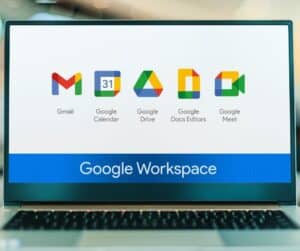
Google Workspace features
- Business Gmail with spam filters, signatures, labels, and custom aliases.
- Google Meet for video conferences with screen sharing and recording (up to 500 participants, depending on the plan).
- Google Drive for storing, organizing, and sharing files (from 30 GB to 5 TB per user).
- Google Chat and Google Calendar for managing team conversations and scheduling.
- Collaborative office tools: Docs, Sheets, and Slides with real-time co-editing.
- Additional tools: Forms for surveys, Keep for notes, Sites for the intranet, Jamboard for visual collaboration.
- Centralized administration console for managing users, security, and permissions.
- AI features (Gemini) in advanced versions for writing, summarizing, or generating content.
Advantages and disadvantages of Google Workspace
✅ A cohesive suite with well-integrated tools.
✅ Real-time co-editing without version conflicts.
✅ Excellent mobile compatibility.
✅ High level of data security.
✅ A broad ecosystem of third-party integrations.
❌ Less customizable than tools like Notion or ClickUp.
❌ Advanced features are available only on higher-tier plans.
❌ Heavy reliance on the Google ecosystem.
Google Workspace pricing
- Free: limited features.
- Paid: starting at €6.80 per user per month.
What Qim info thinks of Google Workspace
Google Workspace is reliable and easy to deploy, perfect for a secure and productive environment.
Airtable
Airtable is a collaborative data management platform that combines the simplicity of a spreadsheet with the advanced features of a database. It enables teams to structure information, create customized views and work together in real time on a variety of projects.

Airtable features
- Customizable visual databases with fields, statuses, links, filters, and groupings.
- Multiple views: grid, Kanban, calendar, Gantt, gallery, form, etc.
- Built-in automations for creating reminders, sending emails, generating reports, or running scripts (JavaScript).
- Real-time collaboration with comments, mentions, access controls, and a revision history.
- Ready-to-use templates for organizing CRMs, editorial schedules, roadmaps, campaign tracking, etc.
- Integrations with Salesforce, Google Drive, Slack, Miro, Typeform, and many other tools.
- iOS and Android mobile app for a seamless experience on the go.
Advantages and disadvantages of Airtable
✅ Intuitive interface for easily organizing data.
✅ Various views (grid, Kanban, calendar, etc.) depending on your needs.
✅ Automations that are easy to set up.
✅ Seamless integration with common business tools.
❌ Storage limits depend on the plan you choose.
❌ Costs that rise rapidly as teams grow.
Airtable rates
- Free: limited features.
- Paid: starting at $24.00 per user per month.
What Qim info thinks of Airtable
Airtable is an excellent compromise between spreadsheet and database. At Qim info, we recommend it for its flexibility and ability to easily structure a variety of projects, even without technical skills.
Asana
Asana is a project management solution that organizes teamwork around tasks, deadlines and dependencies. It helps teams plan, track and execute their projects with clarity and transparency, without email overload.

Asana features
- Organizing projects into tasks, subtasks, milestones, dependencies, and custom sections.
- Multiple views: list, Kanban board, calendar, timeline.
- Automation rules for triggering actions based on specific events.
- Customizable project templates for managing recurring processes (launch, recruitment, follow-up, etc.).
- Visual dashboards to track task progress and workload distribution.
- Seamless collaboration with comments, mentions, private messages, and approval requests.
- Granular access control by team or project, with role and privacy management.
- Integrations with over 260 tools: Teams, Slack, Zoom, Google Drive, GitHub, Canva, Figma, etc.
Advantages and disadvantages of Asana
✅ Generous free plan.
✅ Intuitive interface.
✅ Clear views for visual navigation.
✅ A wide range of integrations with everyday tools.
✅ High-performance mobile app.
❌ Prices are higher than those of some competitors.
❌ Customer support could be better.
❌ Less suitable for handling complex visual content.
Asana rates
- Free: limited features.
- Paid: starting at €13.49 per user per month.
What Qim info thinks of Asana
Asana is an asset for organizing projects with clarity and productivity. It excels in workflow visualization and intelligently automates tasks.
Figma and FigJam
Figma is an online collaborative design platform for creating web and mobile interfaces. Combined with FigJam, its interactive whiteboard, it enables teams to create, prototype and brainstorm together, in real time.

Figma and FigJam features
- A full-featured vector editor available online, with no installation required.
- Interactive prototyping with clickable links, animated transitions, and user testing.
- Shared design systems with component libraries and real-time updates.
- Real-time collaboration with comments, team member presence, and version history.
- FigJam: a built-in digital whiteboard for brainstorming, user flows, workshops, and retrospectives.
- An ecosystem rich in plugins, widgets, and integrations (Jira, Notion, Zeplin, Slack, etc.).
- Advanced features for developers: code inspection, exporting elements, technical comments.
Advantages and disadvantages of Figma and FigJam
✅ Seamless, real-time visual collaboration.
✅ Comprehensive tools for design, prototyping, and feedback.
✅ Intuitive interface available online.
✅ FigJam is useful for workshops and brainstorming sessions.
❌ Less suitable for non-visual projects.
❌ Depends on the quality of the connection.
❌ Learning curve for non-designers.
Prices for Figma and FigJam
- Free: limited features.
- Paid: starting at €5.00 per user per month.
What Qim info thinks of Figma and FigJam
Figma and FigJam provide a solid foundation for collaborative product design. Qim info recommends them for creative and agile environments.
Monday.com
Monday.com is a visual project management platform that allows you to plan, track, and automate teamwork. Thanks to its modular boards, it can be adapted to many different business contexts, including operations, marketing, IT, and HR.

Monday.com features
- Customizable worksheets with multiple views: Kanban, Gantt, calendar, timeline, etc.
- Real-time tracking of tasks, milestones, deadlines, and priorities.
- Simple or advanced automations to trigger actions based on defined events.
- Ready-to-use templates to quickly set up project management, CRM, or business processes.
- Interactive dashboards for viewing KPIs, budgets, schedules, and workloads.
- Various integrations with Outlook, Gmail, Slack, Microsoft Teams, Zoom, LinkedIn, Zapier, etc.
- iOS and Android mobile apps to stay connected to projects at all times.
Advantages and disadvantages of Monday.com
✅ Intuitive interface that’s easy to learn.
✅ High degree of customization to meet business needs.
✅ Clear overview of projects and priorities.
✅ Accessible and effective automations.
✅ A variety of integrations with everyday tools.
❌ The free version is limited to 2 users.
❌ High cost per user for large teams.
❌ Advanced features are available only on higher-tier plans.
❌ Less efficient for highly complex or cross-functional projects.
Monday.com rates
- Free: limited features.
- Paid: starting at €9.00 (excluding tax) per user per month.
What Qim info thinks of Monday.com
Monday.com is a simple yet comprehensive solution. Qim info recommends it to teams wishing to organize their work quickly, while retaining the possibility of adjusting the tool to suit their needs. Thanks to our expertise with Monday.com, we have supported several companies in their migration and deployment projects, ensuring a smooth transition and successful adoption of the platform.
These 10 collaborative tools are used by a wide variety of professionals: project managers, product owners, Scrum Masters, UX designers, and marketing, HR, and IT teams. Everyone can find tools tailored to their needs, whether it’s coordinating a project, leading an Agile team, designing user flows, or centralizing documentation.
| Tool | Best for | Key features | Price |
| Notion | Team organization and documentation | Modular blocks, databases, real-time collaboration, ready-to-use templates, integrated search engine | Freemium model with paid plans from €11.50 / user / month |
| Teams | Communication and collaboration in the workplace | Theme channels, rich messaging, audio/video calls, file co-editing, Microsoft 365 integration | Freemium model with paid plans from €3.70 / user / month |
| Slack | Agile team messaging | Public/private channels, threads, audio/video calls, 2000+ integrations, Slackbot and workflows | Freemium model with paid plans from €8.25 / user / month |
| Miro | Workshops and visual brainstorming | Collaborative whiteboards, agile tools (roadmaps, mind maps…), interactive post-its, various integrations | Freemium model with paid plans from €8.00 / user / month |
| ClickUp | All-in-one project management | Modular hierarchical structure, numerous views (Gantt, Kanban…), automation, integrated AI, documentation | Freemium model with paid plans starting at $10.00 / user / month |
| Google Workspace | Cloud office collaboration | Online office suite (Docs, Sheets, Meet…), real-time co-editing, secure Drive, IA Gemini, Google ecosystem | Freemium model with paid plans from €6.80 / user / month |
| Airtable | Collaborative database management | Visual databases, multiple views (grid, Kanban…), simple automations, multiple integrations | Freemium model with paid plans starting at $24.00 / user / month |
| Asana | Visual project tracking | Tasks, subtasks, multiple views (list, calendar…), automations, dashboards, numerous integrations | Freemium model with paid plans from €13.49 / user / month |
| Figma and Figjam | Collaborative design | Online collaborative design, interactive prototyping, design systems, FigJam whiteboard, plugins and integrations | Freemium model with paid plans from €5.00 / user / month |
| Monday.com | Visual project management | Customizable tables, multiple views (Kanban, calendar…), automations, dashboards, various integrations | Freemium model with paid plans from €9.00 / user / month |
Other collaborative tools
In addition to the main project management and teamwork solutions, some more specialized tools offer invaluable functionalities to streamline organization and reinforce day-to-day collaboration.
Trello
Trello is a visual task management tool based on the Kanban principle. It organizes projects using easy-to-use tables, lists and cards. Lightweight, intuitive and extensible thanks to its automations and integrations, it is ideal for teams wishing to coordinate their work without complexity.

Zoom
Zoom is a videoconferencing solution renowned for its reliability. Ideal for meetings, webinars or remote training, it offers a high level of user comfort with screen sharing, chat, recording or sub-rooms. Easy to deploy, it is a key tool for hybrid or remote collaboration.

Confluence
Confluence is a collaborative tool designed for team documentation. It allows you to centralize procedures, guides, and content on pages organized by space. With its comprehensive editor and seamless integration with Jira, it effectively complements project management tools, particularly in technical environments.

Loom
Loom lets yourecord your screen, voice and camera in just a few clicks. Practical for feedback, tutorials or demos, it facilitates asynchronous exchanges. Videos can be shared by link, commented on and integrated into tools like Notion or Slack. Loom is an excellent way to communicate without meetings.

Google Drive
Google Drive is Google’s cloud-based file storage and sharing solution. It lets you organize documents in shared folders, manage access rights and collaborate in real time via Google Docs, Sheets and Slides. Integrated into the Google Workspace ecosystem, Drive is a central tool for document collaboration.

Your Qim info partner for choosing and implementing collaborative tools
At Qim info, we help companies set up effective collaborative environments, in line with their needs, organization and culture. Thanks to our expertise in digital transformation, we can support you in choosing the right tools, integrating them into your processes, and ensuring that they are used on a daily basis by your teams.
Our consultants are present at every stage: needs analysis, benchmarking of available solutions, configuration, user training and change management. Thanks to our in-depth knowledge of the market’s collaborative tools and the expertise of our Modern Workplace specialists, everything is done to facilitate collaboration, streamline exchanges and improve productivity over the long term.
Contact us today for guidance in your choice of collaborative tools.
FAQ on the list of collaborative tools
What are the top 5 collaborative tools?
The five main collaborative tools used in companies to improve communication, project management and teamwork are:
- Google Workspace: a suite of interconnected collaboration tools (Gmail, Drive, Docs, Meet, etc.) for creating, sharing, and working online.
- Concept: an all-in-one workspace for organizing notes, databases, tasks, and documents in a clear and customizable interface.
- Microsoft Teams: a Microsoft 365 collaboration platform that centralizes messaging, calls, video conferencing, and file co-editing.
- Asana: a visual project management tool for planning, tracking, and coordinating team tasks, regardless of team size.
- Trello: an intuitive app based on Kanban boards, ideal for tracking the progress of simple, visual projects.
What are the best collaborative sharing tools?
The most effective collaborative sharing tools are:
- Miro: for visual co-creation during brainstorming sessions, workshops, or user journeys.
- Google Workspace: Create, store, and share documents in real time in a seamless and secure environment.
- Microsoft Teams: a solution for centralizing communication, video conferencing, and file co-editing, integrated with Microsoft 365.
- Concept: to structure information, organize databases, and collaborate on team documentation.
- Slack: to streamline internal communication and share files within topic-based channels.
What are the 5 tools an administrative professional could use to collaborate?
To effectively manage day-to-day administrative tasks (organization, internal communication, information sharing), here are five particularly useful tools:
- Slack: an efficient team messaging platform for coordinating communication within departments, sharing files, and integrating with other business tools.
- Google Workspace: a comprehensive suite featuring Drive, Docs, Sheets, and Calendar to centralize documents, schedules, and online collaboration.
- Microsoft 365: Word, Excel, Outlook, Teams, and OneDrive all in one place to collaborate, communicate quickly, and manage documents securely.
- Trello: a simple visual board for organizing tasks, tracking projects, and assigning responsibilities.
- Confluence: a structured documentation platform for storing procedures, meeting minutes, and internal reference information.
What are Google’s collaborative tools?
Google offers a suite of integrated tools in Google Workspace, designed to facilitate teamwork, document sharing and communication:
- Google Keep: Quick note-taking that’s shared and synced across all your devices.
- Google Docs, Sheets, Slides: Create and collaborate in real time on documents, spreadsheets, and presentations.
- Google Drive: secure cloud storage for sharing, organizing, and accessing files from any device.
- Google Meet: Easy video conferencing with screen sharing, captions, and calendar integration.
- Google Calendar: scheduling meetings, setting reminders, and managing team availability.
- Google Chat: instant messaging for quick communication and creating project-based discussion spaces.
- Google Forms: Create forms and questionnaires to collect information or conduct surveys.
What collaborative tools does Microsoft 365 offer?
Microsoft 365 provides a set of interconnected tools to promote productivity and teamwork:
- OneNote, Planner, To Do, Viva Engage: complementary tools for organizing tasks, taking notes, and informal communication.
- Teams: unified communications (chat, video conferencing, file sharing).
- OneDrive and SharePoint: Secure document storage and sharing with co-editing.
- Word, Excel, PowerPoint Online: Simultaneous Editing in the Cloud.
- Outlook and Calendar: managing emails and shared calendars.
What collaborative tools does Office 365 offer?
Microsoft 365 (formerly Office 365) integrates several applications to facilitate teamwork. Together, these tools create a unified environment that combines communication, document management and automation.
- Copilot (AI): an intelligent assistant designed to speed up writing, analysis, and productivity.
- Teams: a central platform for meetings, discussions, and projects.
- OneDrive and SharePoint: document storage, sharing, and management with access control.
- Office Online (Word, Excel, PowerPoint): real-time online co-editing, with no local installation required.
- Outlook, Calendar, OneNote, Planner: Organizing communications, appointments, and tasks.