
Today, virtualization is a key solution for simplifying corporate IT infrastructures. Among the market leaders, VMware has established itself, but Broadcom’s recent acquisition of VMware in 2023 and the resulting rise in costs are prompting CIOs to ask: Are there viable alternatives?
💡 Among the available options, the German vendor Proxmox is making a name for itself. Our goal is to compare the two tools—without favoring one over the other—to help you make the best choice for your business. A migration shouldn’t be done haphazardly.
Key points:
- Proxmox = a cost-effective alternative: open source, lightweight installation, excellent IOPS performance, ideal for reducing VMware costs.
- VMware = the enterprise choice: HA, vMotion, DRS, a mature ecosystem, and better scalability, but at a significantly higher cost.
- Storage: High-performance, flexible Ceph (Proxmox) vs. highly integrated but expensive vSAN (VMware).

Comment réagir face à l’augmentation du prix des licences VMware ?
Basé sur notre accompagnement auprès de plusieurs entreprises, nous avons résumé ce qui a changé.
Introducing Proxmox VE
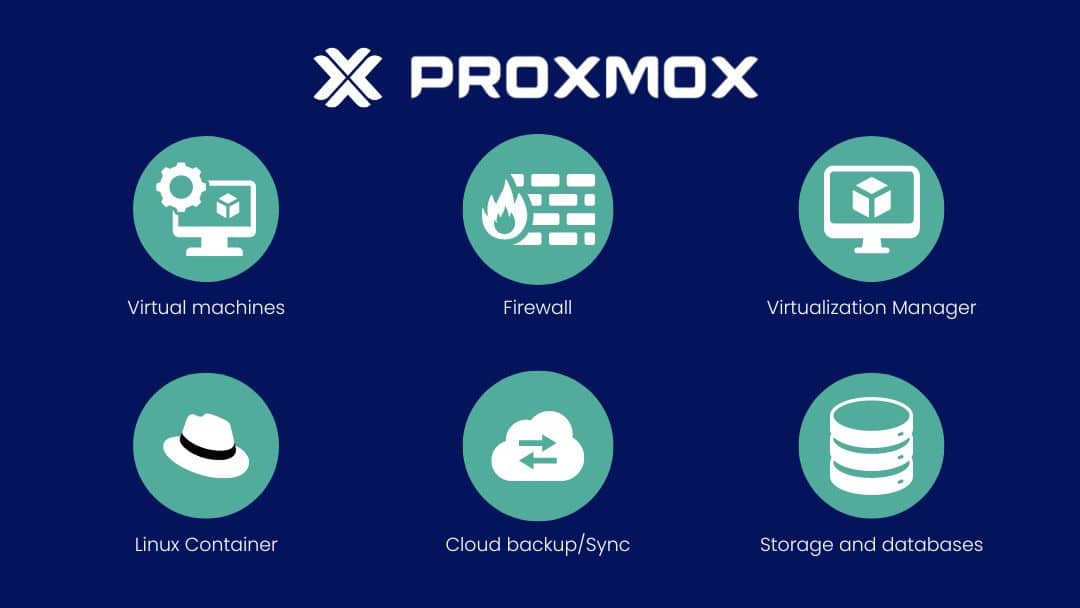
Proxmox Virtual Environment (abbreviated as “Proxmox VE” or “PVE”) is an open-source virtualization platform (AGPLv3 license) based on the Linux KVM hypervisor, which also offers a Linux container solution using LXC. It offers paid support.
Proxmox VE is suitable for a variety of virtualization needs, ranging from small-scale development and testing environments to large-scale production deployments in data centers. Its main advantage is its ease of use compared to other hypervisors.
Take Back Control of Your Cloud
Introducing VMware
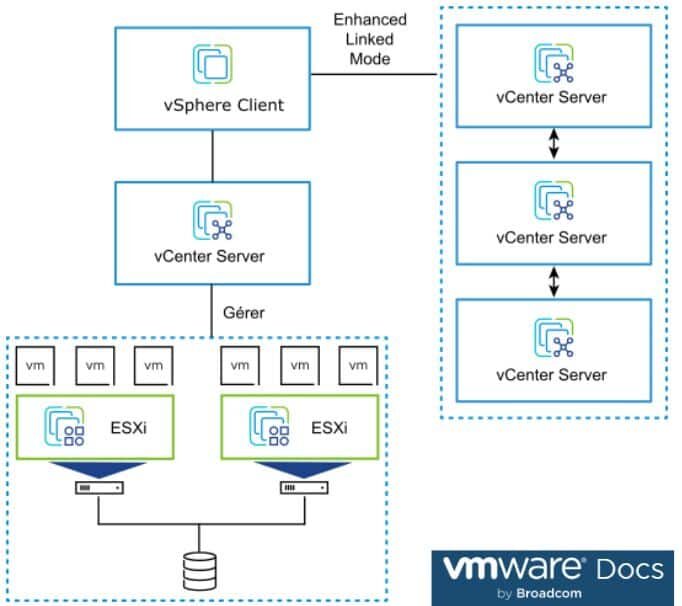
VMware vSphere is a comprehensive virtualization platform built on proprietary code, which includes the Type 1 ESXi hypervisor and the vCenter Server management platform. VMware uses ESXi for high-performance virtualization directly on physical hardware.
One of the biggest advantages is how automation and artificial intelligence tools are integrated in a robust virtual environment to facilitate large-scale operations.
It is a sophisticated virtualization solution, featuring a suite of enterprise-class tools such as vMotion for live migration, Distributed Resource Scheduler for workload balancing, and vSAN for software-defined storage.
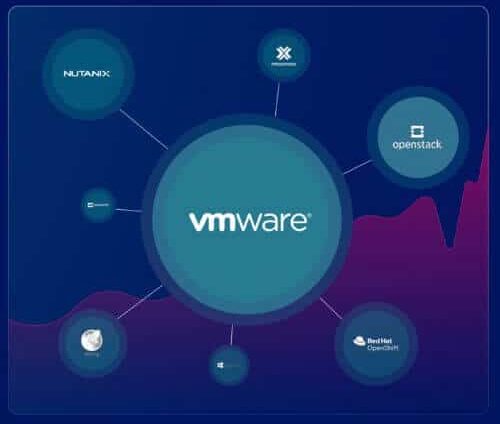
Comparison of features found in Proxmox VE and VMware
Storage options
Here are the details:
| Feature | Proxmox VE | VMware vSphere |
|---|---|---|
| Software-Defined Storage (SDS) | Ceph | VMware vSAN |
| File Systems | ZFS, CephFS, POSIX file systems | VMFS |
| Storage Protocols | iSCSI, FC, NVMe-oF, NFS | iSCSI, FC, NVMe-oF, NFS |
| Backups and Georeplication | Not by default | Not by default |
| Snapshots and Cloning | Supported with ZFS | Supported |
| Scalability options for storage | Scale by adding disks or nodes. Flexibility depends on the Ceph configuration. | Evolve by adding disks or nodes. |
| Performance Optimization | Caching, Cache Tiering | Advanced storage performance features with DRS, storage I/O control |
| Deduplication and Compression | Supported | Supported |
| SDS Licenses | Open-source, with optional commercial support | Proprietary, subscription-based |
Furthermore, a detailed experiment conducted by Blockbridge on the storage performance of VMware and Proxmox revealed that Proxmox performed very well in terms of IOPS. In fact, Proxmox VE outperformed VMware ESXi in 56 of the 57 tests conducted. Proxmox delivered peak performance that was more than 50% higher than VMware’s while maintaining 30% lower latency and 38% higher bandwidth. Thus, Proxmox significantly outperforms VMware in storage performance under maximum load, but the gap narrows under typical workload conditions.
Backup and restoration
VMware and Proxmox VE have a lot in common:
- They support full VM backup.
- They support the creation of instant live backups (snapshots) to capture the state of a VM without service interruption.
- They allow you to configure multiple storage locations and define retention policies to manage the backup lifecycle.
- They provide graphical user interfaces (GUI) and command line interfaces (CLI), with the ability to manually execute scheduled tasks and monitor backup status in real time.
- They enable complete restoration of VMs from backups, as well as file-level restoration.
Despite these similarities, VMware and Proxmox VE differ in their approach to backup management:
- Proxmox VE integrates its backup features directly into its open-source platform. Backups can be scheduled and run using the pvescheduler. Proxmox Backup Server offers incremental restore and live restore capabilities.
- While VMware does offer native backup capabilities—including vSphere Replication technology for fast, automated recovery in multi-site environments— it relies heavily on third-party solutions for advanced backup management. Tools such as Veeam, Commvault, and Veritas provide additional features such as flexible backup scheduling, advanced retention policy management, file and application object restoration, and even instant VM restoration.
Veeam has announced that it will support Proxmox VE starting in the third quarter of 2024. It will offer immutable backups for VMs and will also allow users to restore VMs from other platforms, such as VMware vSphere and Microsoft Hyper-V, to Proxmox VE.
Security
Proxmox VE and VMware offer several integrated security features to protect virtualized environments, such as two-factor authentication (2FA) and role-based administration for granular definition and management of user permissions.
Proxmox VE includes a built-in firewall that can be configured at the data center, node, and VM levels. LXC uses Linux security modules such as AppArmor or SELinux.
VMware offers a more comprehensive suite of security tools through its NSX platform and other VMware security products (vRealize Log Insight, vSphere Trust Authority, and VMware Site Recovery for disaster recovery). The VMware platform can facilitate compliance with standards such as the LPD, GDPR, or HIPAA through its enterprise-focused features.
Updates
With Proxmox VE, updates are managed by the open-source community and are frequently reviewed and released. However, Proxmox users must be proactive in applying updates and managing system patches, as these tasks are generally performed manually.
With VMware, you have an automated system for managing updates and patches via VMware Update Manager (VUM), requiring minimal manual intervention.
In a nutshell:
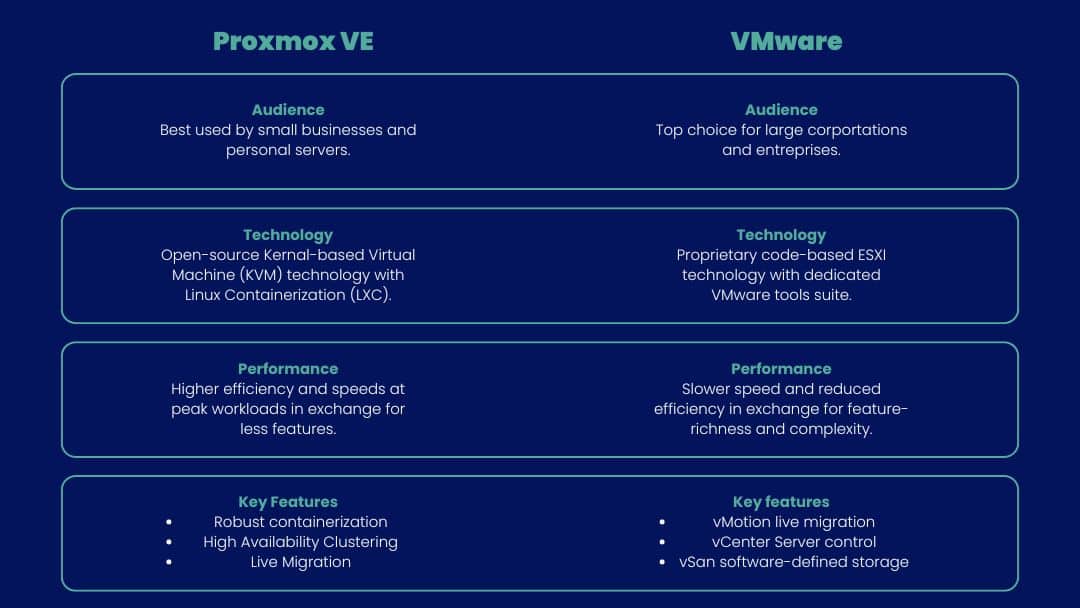
What about their performance?
Performance and scalability
VM performance
Hardware compatibility
Proxmox VE can be used in test or production environments with locally available hardware (desktop PCs, professional servers) without requiring major investment in new infrastructure, and is compatible with a variety of hardware (support for network cards, storage controllers and other common peripherals).
ESXi is primarily designed for enterprise server environments, and VMware has a strict Hardware Compatibility List (HCL), which means that only certain hardware and configurations are officially supported, guaranteeing optimum performance and stability.
Hypervisor speed
KVM is generally known to be faster than other hypervisors when running applications, according to the SPECvirt-sc2013 benchmark. It is generally faster than ESXi when it comes to creating and operating servers. However, it should be noted that the difference in speed is not significant in the context of a regular workload.
Scalability of solutions
Proxmox VE can run on a wide range of hardware. To set up a high-availability (HA) cluster, a minimum of three nodes is required.
Proxmox does not have hot migration and high-availability capabilities as sophisticated as those of VMware ESXi.
In contrast, VMware ESXi is known for its high scalability and advanced high-availability features, including tools such as vMotion for live migration of virtual machines, vSphere HA for automatic fault tolerance, and the Distributed Resource Scheduler for resource optimization. The minimum configuration for an HA cluster with VMware requires at least two nodes.
Let’s turn to the crux of the matter: the budget.
Cost and type of license for Proxmox and VMware
Proxmox license model
One of the main advantages of Proxmox VE is that it reduces implementation and operating costs. Thanks to its open-source model, there are no mandatory licensing fees. In addition, Proxmox VE offers a free version of the software, as well as subscriptions starting at around 100 euros per year for advanced features and user support.
VMware licensing model
Since the acquisition by Broadcom, two major changes have taken place: first, the free version of ESXi is no longer available. Second, VMware is transitioning from a perpetual license model to a subscription model for its new customers. Those who have already purchased a perpetual license will retain it, and VMware will provide active support for the duration of their contracts.
Offers are now grouped into packs, the 4 main ones being :
- Cloud Foundation, a complete solution that integrates several VMware technologies to create an integrated hybrid cloud infrastructure and combines server, storage, and network virtualization;
- vSphere Foundation is less comprehensive than VMware Cloud Foundation, but provides the essential tools for virtualization (centralized management and server virtualization);
- vSphere Standard, the basic solution for virtualization, which provides essential functionality and includes vCenter for centralized management;
- vSphere Essentials Plus, designed for small businesses with a bundled license, includes the features needed to manage a small-scale virtual infrastructure.
Cost comparison
Proxmox’s open-source model offers significant savings on licensing costs, especially for those who do not need commercial support. However, keep in mind that you’ll need skilled professionals to manage updates—which won’t be performed automatically but rather manually—and you may need to set aside a dedicated budget if you outsource the process.
VMware tends to be more expensive, particularly for large enterprises that require advanced capabilities and professional support. The shift to a subscription model can also affect costs depending on the organization’s specific needs.
Now let’s take a look at their ergonomics.
Comment réagir face à l’augmentation du prix des licences VMware ?
Basé sur notre accompagnement auprès de plusieurs entreprises, nous avons résumé ce qui a changé.
Easy to use and install
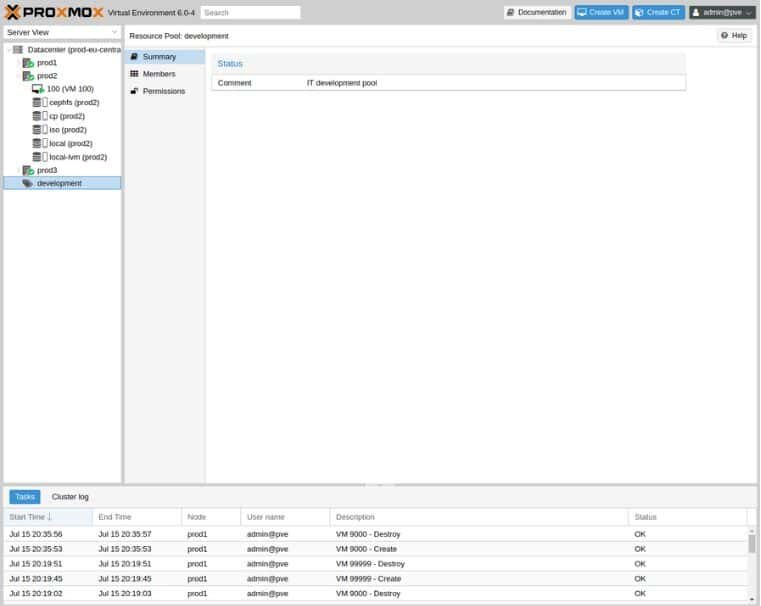
Proxmox VE user interface
Its intuitive web interface makes it easy to manage virtual machines, containers, storage, and networks without any additional software. In addition, Proxmox VE supports role-based management and enables secure task delegation.
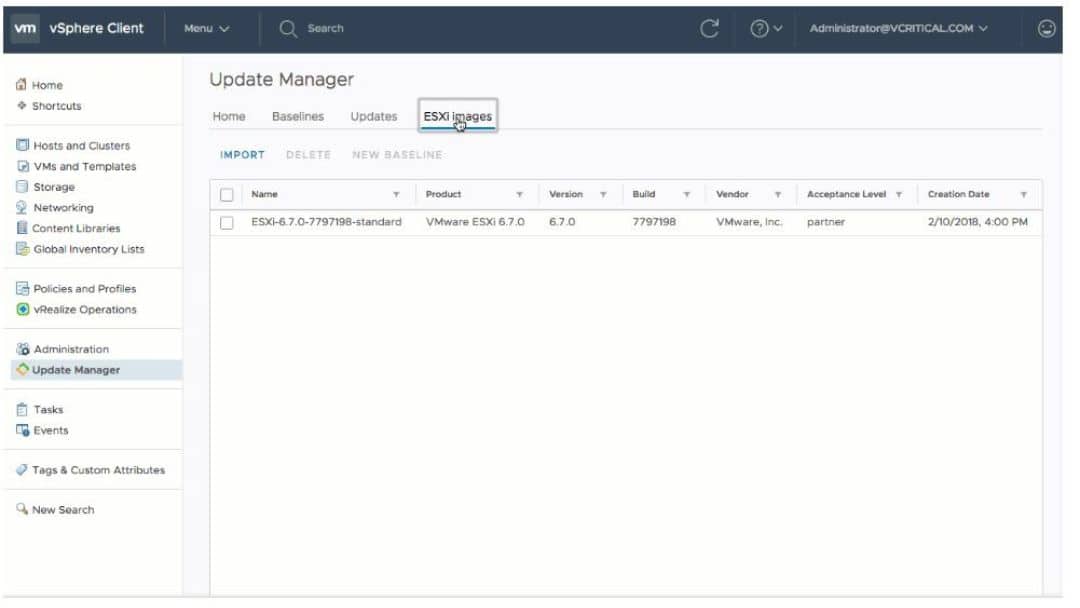
VMware user interface
VMware hasa broader ecosystem and uses vCenter Server as a centralized management tool for all virtual machines. The interface is designed to control and monitor the entire virtual infrastructure, with advanced features for automation, resource management, and performance analysis. It is also more complex.
Installation process
Proxmox VE is less demanding than ESXi: it can run on an x86 processor with support for hardware virtualization (Intel VT-x/AMD-V). Minimum requirements are 2 CPU cores, 2 GB RAM and 16 GB disk space.
To install it, download the Proxmox VE ISO from the official website. After installation, the system will reboot, and you can access the Proxmox web interface to complete the setup.
As for VMware ESXi, it requires 2 CPU cores, a 64-bit processor with support for hardware virtualization, at least 8 GB of RAM, and 5 GB of disk space—just for the installation. More resources are required for VM data, logs, and production environments (4 CPU cores, 32 GB of RAM, and disk space).
The installation process is the same as that for Proxmox VE. That said, the default installation will likely be insufficient: to ensure the system meets your needs, you may need to install additional components or configure virtual networks, for example.
Let’s talk about user support.
Support and community
Support for Proxmox VE
Support is available through a subscription (standard or premium). The Proxmox customer portal allows you to create and manage support tickets.
Comprehensive documentation is freely available online via the official website. It covers a wide range of topics, as well as tutorials on advanced features. It is free, but a paid support subscription provides access to additional resources.
Support for VMware
VMware stands out for its enterprise-level support offerings, which include robust SLAs, direct technical support, and comprehensive documentation—available for free online—that covers not only ESXi and vSphere products but also integration with other VMware solutions such as NSX, vSAN, and vRealize. VMware also offers a wider range of paid support services, such as training.
Take Back Control of Your Cloud
Community activities and resources
As you’d expect, the dynamics of the Proxmox and VMware communities differ due to the nature of their business models.
Proxmox is an open-source project, which fosters a very active and engaged community. Users regularly participate in forums, contribute to the source code, and are responsive. The community creates and shares numerous guides, wikis, and video tutorials—including troubleshooting solutions—which enrich the unofficial support available to users.
Although VMware is proprietary software, it has a large base of professional users who form an active community, particularly through the VMware community forums and events such as VMworld. VMware organizes numerous events and conferences, which strengthen community engagement.
Qim info will help you choose between Proxmox and VMware and deploy the chosen solution.
Qim info offers you optimum support for your business in three main areas:
- Collaboration and transparency: We work together to improve team coordination by providing tailored processes and tools. We bring teams together around a shared vision to facilitate informed decision-making.
- Personalized Approach: Your choice isn’t just any company. Our experts work closely with you to understand your specific needs and the challenges you face, so we can implement the solution that best fits your needs.
- Multidisciplinary expertise: With 20 years of experience, we have developed a wide range of skills across all areas of IT. Whether you choose to outsource or work on a project basis with a dedicated team, we have the ideal solution for you.
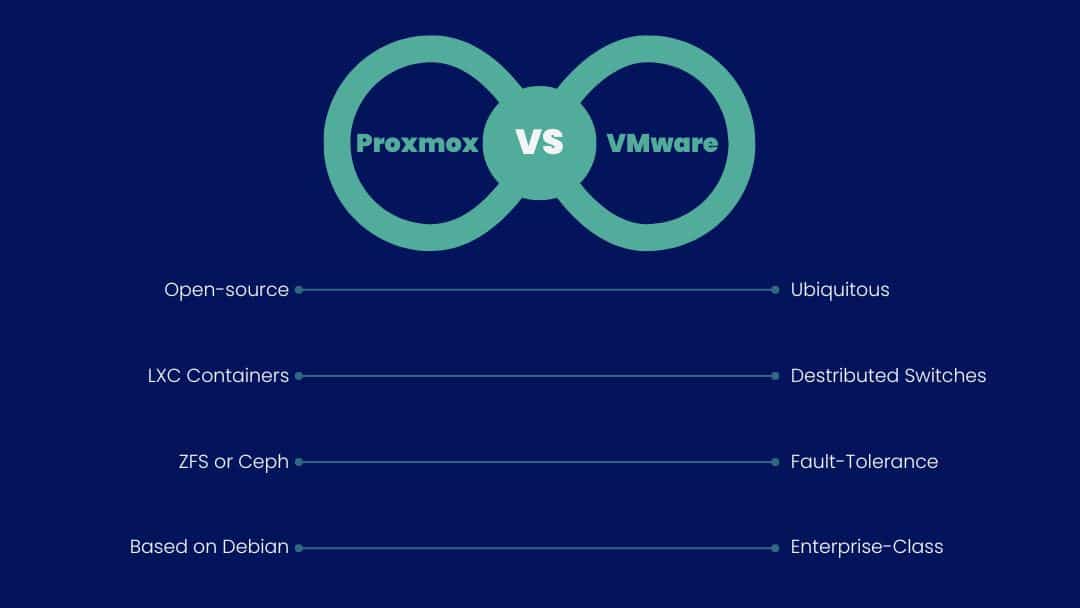
In conclusion, there is no single best solution, and choosing between Proxmox VE and VMware depends on 3 essential criteria:
- Your company’s specific needs,
- Your budget,
- Your support requirements.
Our Cloud & DevOps Solutions team is ready to review these criteria with you to help you find the ideal solution. Contact us for a personalized consultation and determine now which option will maximize the efficiency of your infrastructure.
Be sure to check out our articles on Proxmox vs. VMware and Nutanix vs. VMware to explore this topic further.