
As you’re no doubt aware, Broadcom’s acquisition of VMware continues to cause quite a stir, particularly regarding rising licensing costs. As a result, many companies are reevaluating their strategies to reduce their dependence on this vendor and maintain the flexibility of their infrastructure.
OpenStack is an open-source cloud management platform, while VMware is a virtualization solution. Both enable the management of hybrid and private cloud infrastructures, but they differ in terms of architecture, ecosystems, and features.
OpenStack can be used alongside VMware to take advantage of the flexibility and scalability of an open-source solution while retaining certain VMware features. For example, VMware vSphere is supported on OpenStack. The two tools compete when it comes to managing and orchestrating large-scale IT infrastructures, particularly for private cloud deployments.
This article compares OpenStack and VMware in several key areas to help you choose the solution that best meets yourcloud infrastructure needs.
Take Back Control of Your Cloud
Introducing VMware
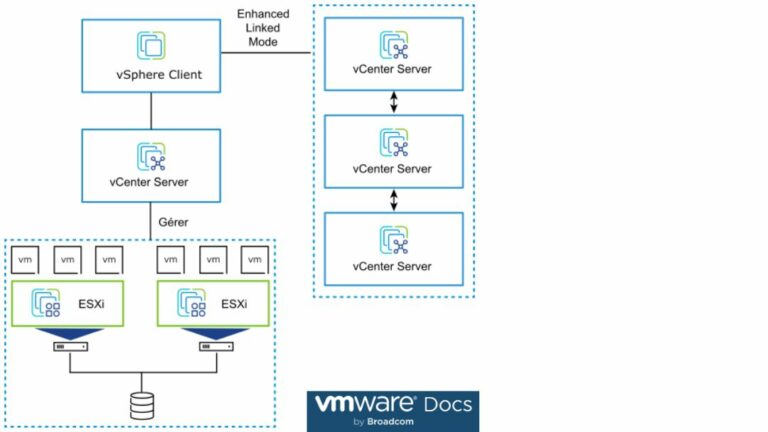
VMware vSphere is a complete virtualisation solution based on proprietary code, including the ESXi hypervisor and the vCenter Server management platform.
One of its key strengths lies in the integration of automation and artificial intelligence tools to facilitate large-scale operations. As a result, this platform has expanded its offerings to include solutions for storage (vSAN), networking (NSX), and infrastructure automation and management (vRealize).
VMware therefore provides an integrated turnkey solution that simplifies the management of virtualised environments for businesses, particularly in traditional data centres.
OpenStack: an overview
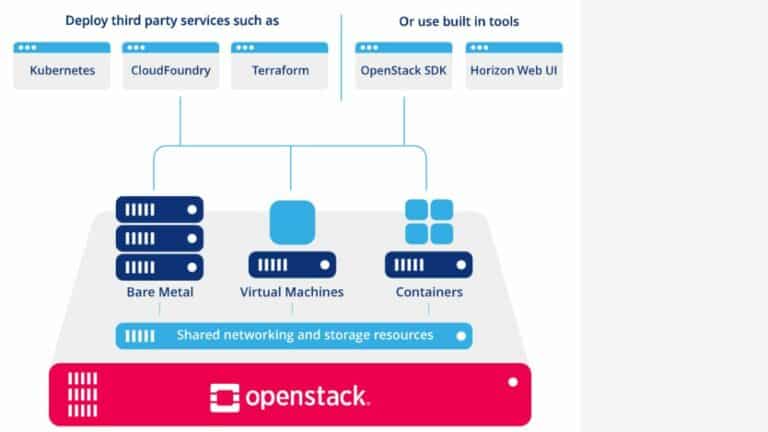
OpenStack is an open-source cloud management platform designed to deploy and manage scalable private clouds. It provides an infrastructure and requires a hypervisor to run. KVM is often used with OpenStack, but VMware vSphere can also be used.
Composed of modular projects such as Nova for computing, Cinder for block storage, and Neutron for networking, OpenStack provides an IaaS solution with support for integrating third-party PaaS services. The platform also includes Horizon, a user interface for administration, and benefits from an ecosystem of integrations and extensions.
OpenStack is designed to run on standard hardware and supports hyperconverged architecture. It is therefore a more comprehensive solution than VMware, allowing users to create private or public clouds using modular components.
Performance and scalability
VM performance
The performance of virtual machines depends on several factors:
- Provisioning Speed: VMware offers automation tools such as vRealize Automation that can accelerate the VM provisioning process. OpenStack can achieve competitive provisioning speeds, which depend heavily on infrastructure configuration and optimization. Therefore, if fast provisioning is a top priority, VMware is often the best option.
- Response times and latency: VMware is optimised for consistent performance thanks to its built-in features, whereas OpenStack offers variable performance depending on the configuration of the backend, i.e. the underlying infrastructure, such as servers, databases, networks and storage services.
- Resource Management Efficiency: VMware uses tools such as DRS to balance workloads and optimize resource utilization. OpenStack, with its various modules, requires more granular configuration to achieve optimal performance.
In summary, VMware tends to deliver better VM performance with less configuration effort, as it is specifically optimized for virtualization. OpenStack can also achieve good performance, but this depends heavily on infrastructure optimization and component management.
Scalability of solutions
On this point, objectively speaking, no one solution is better than another. They are different and each has its own advantages.
OpenStack is primarily designed to scale horizontally across many servers, making it highly efficient for large-scale clouds where adding nodes is a frequent requirement in order to manage large amounts of resources and large workloads.
As for VMware, it can also scale vertically or horizontally, which means it is highly flexible and suited to environments that require both the addition of new servers and an increase in the capacity of existing ones.
Ebook gratuit
Feature comparison between OpenStack and VMware
High availability
Both solutions meet this need, albeit with different approaches and levels of complexity.
VMware offers a built-in feature called vSphere High Availability, which monitors hosts and VMs. If a physical host fails, vSphere HA automatically restarts the VMs on another host within the cluster. Other tools, such as vMotion for live VM migration and the Distributed Resource Scheduler for load balancing, help maintain availability.
OpenStack can also be configured for high availability, but the configuration is more complex. The Nova (compute), Neutron (networking), and Cinder (storage) components can be configured for high availability using techniques such as clustering and service redundancy, as well as solutions like Pacemaker and Corosync.
Storage options
The storage options available in OpenStack are more varied and depend on the backend choices than in VMware. OpenStack offers greater flexibility thanks to its modular, open-source architecture, while VMware offers an integrated, proprietary solution.
| Feature | OpenStack | VMware vSphere |
|---|---|---|
| Software-Defined Storage (SDS) | Ceph, Swift, Cinder (SDS management via LVM, Ceph, etc.) | VMware vSAN |
| File Systems | CephFS, POSIX file systems (depending on the chosen backend) | VMFS |
| Storage Protocols | iSCSI, FC, NVMe-oF, NFS, – (depending on the selected backend) | iSCSI, FC, NVMe-oF, NFS |
| Storage Scalability | Scales by adding disks or nodes; offers great flexibility with Ceph or Swift | Scales by adding disks or nodes |
| Performance Optimization | Caching, Data Distribution with Ceph | Advanced storage performance features with DRS, storage I/O control |
| Deduplication and Compression | Supported (depending on the selected backend, e.g., Ceph) | Supported |
| SDS Licenses | Open-source, with optional commercial support (e.g., Red Hat Ceph Storage) | Proprietary, subscription-based |
| Compatibility with external storage solutions | Extensive compatibility with third-party SANs and NAS devices via Cinder; managed via iSCSI, NFS, etc. | Compatible with most third-party SANs and NAS devices via standard protocols (iSCSI, NFS, etc.) |
Backup and restoration
VMware and OpenStack have several things in common:
- Support for full VM backup.
Graphical user interface (GUI) and command line interface (CLI). - Snapshots and cloning functionalities are supported by both platforms.
- Full VM restoration from backups is possible on both platforms, with integrated solutions in VMware and more customised configurations in OpenStack.
- Integration with third-party backup solutions, to extend backup and restore capabilities.
- Disaster recovery plans, with the option of data replication and rapid restoration in the event of a major breakdown.
The main difference lies innative integration: VMware offers integrated backup and recovery solutions, such as VMware vSphere Data Protection (VDP) and Site Recovery Manager (SRM). In contrast, OpenStack requires individual components such as Cinder, as well as third-party solutions or the implementation of custom scripts.
That said, both can work with VEEAM. For VMware, VEEAM provides a backup solution with advanced features that integrates seamlessly with the VMware ecosystem and offers high availability and disaster recovery options.
For OpenStack, VEEAM offers backup solutions, but their integration is less effective. This is because backup management in OpenStack relies in part on Cinder for volume management, but the features offered by VEEAM are more limited compared to those for VMware.
Security and updates
Both tools are effective in this area, but their approach is different. VMware prefers modularity, with several security products (NSX, VMware Carbon Black, etc.) that can be integrated.
OpenStack integrates security features directly into its modules, such as identity and access management (Keystone), data encryption (Cinder, Swift, etc.), and network segmentation (Neutron).
They each offer:
- Two-factor authentication,
- Role-based administration,
- Encryption of data at rest and in transit,
- Reporting and auditing tools,
- Integration with Identity and Access Management (IAM) solutions,
- Segmentation of virtual networks,
- Standardised safety frameworks.
OpenStack and VMware cost and licence type
OpenStack licensing model
Thanks to its open-source model, OpenStack users do not have to pay any license fees to use the core software. The source code can be used, modified, and distributed free of charge.
For those who need technical support, advanced features and integration services, several companies, such as Red Hat, Canonical and Mirantis, offer commercial versions of OpenStack.
VMware licensing model
Since Broadcom’s acquisition of VMware, two significant changes have taken place:
- VMware has replaced its perpetual licence model with a subscription model.
- Some products are no longer offered, and those that are (vSAN, vSphere, NSX, etc.) are now grouped together in bundles.
The 4 main offers are:
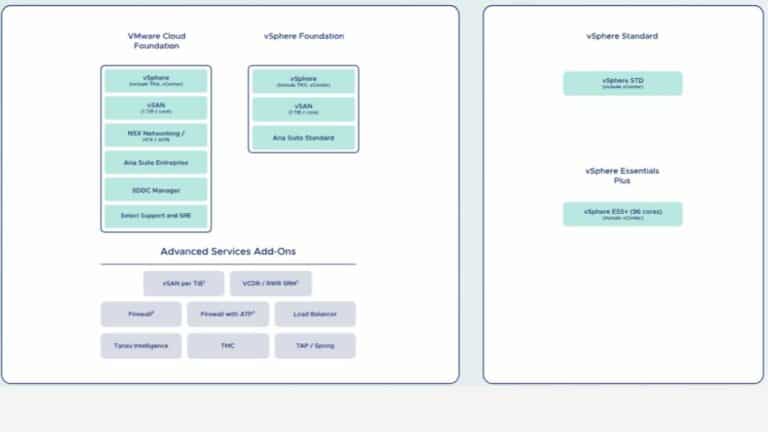
- VMware Cloud Foundation (VCF), a complete solution with a vSphere Enterprise + infrastructure that integrates vSAN, NSX and the Aria suite; add-ons include DRP as a service and the Tanzu range.
- VMware vSphere Foundation (VVF) is a more limited offering compared to VCF; it includes the Enterprise+ infrastructure, the Aria Suite in standard mode with Aria Ops, vSAN, and Tanzu. However, this bundle does not include NSX.
- VMware vSphere Standard (VVS), the entry-level virtualization solution, provides the standard vSphere infrastructure, hypervisors, and support. Add-ons enhance security, particularly for building an on-demand disaster recovery plan.
- VMware vSphere Essentials Plus Kit (VVEP), the smallest bundle available. It is designed for basic virtualization needs. It is limited to 96 cores for approximately 3 hypervisors, and the add-ons also allow for on-demand disaster recovery planning.
Cost comparison
As we have seen, OpenStack itself is free. Any costs that may arise come from services related to the underlying infrastructure, deployment, and support.
VMware, on the other hand, charges license fees, which often include technical support, thereby reducing the need for in-house expertise for management and troubleshooting. There are different levels of support depending on the type of license and service agreements. VMware also relies on specific hardware.
In the past, VMware offered a free version of ESXi, but, since the Broadcom takeover, this is no longer the case.
Ebook gratuit
Easy to use and install
OpenStack user interface
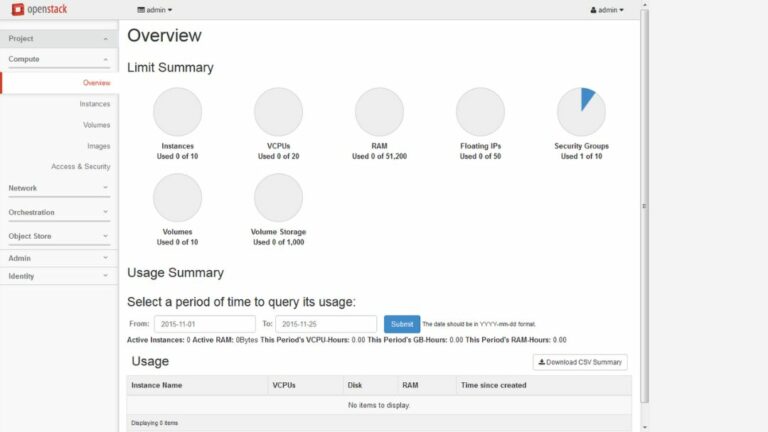
The OpenStack dashboard is Horizon, which is the user interface used to manage the components included in OpenStack as well as the various users. Horizon’s design and features are customizable.
VMware user interface
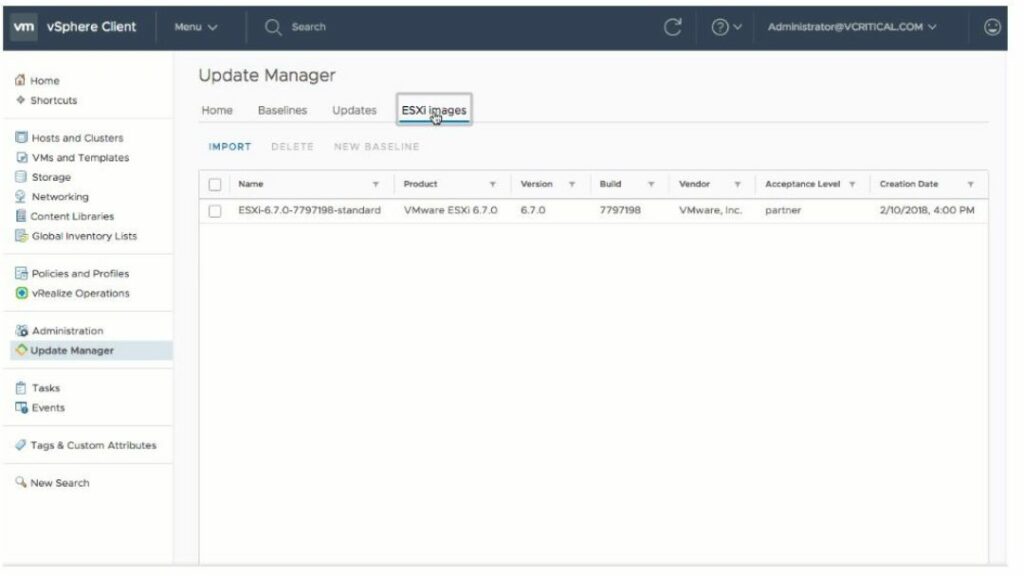
VMware has an extensive ecosystem that uses vCenter Server as a centralized tool for managing all VMs. This interface is designed to monitor and control the entire virtual infrastructure, with advanced capabilities for automation, resource management, and performance analysis. However, using it can be more complex.
Installation process
VMware ESXi installation requires at least:
- 2 CPU cores,
- a 64-bit processor with support for hardware virtualisation (Intel VT-x or AMD-V),
- 4 GB RAM (8 GB recommended),
- 32 GB of disk space.
For optimum configuration, 4 or more CPU cores, 32 GB of RAM and a larger amount of disk space are recommended.
Start by deploying an ISO image, then follow the installation wizard. Once the installation is complete, configure the basic network settings and access the user interface through the VMware vSphere Client or vCenter.
The hardware and software needed to install OpenStack require:
- a multi-core x86_64 processor,
- 8 GB of RAM,
- 100 GB of disk space.
OpenStack can be installed either manually, i.e. by installing and configuring each component one by one, or automatically, using tools such as DevStack and Packstack.
Take Back Control of Your Cloud
Support and community
Support for VMware
VMware stands out for its enterprise-level support, which includes SLAs, direct technical assistance, and comprehensive online documentation available free of charge. This documentation covers not only ESXi and vSphere, but also integration with other VMware solutions such as NSX, vSAN, and vRealize. VMware also offers a variety of paid support services, including specialized training.
Support for OpenStack
The active OpenStack community and the availability of third-party support solutions (Red Hat OpenStack Platform, Canonical, Mirantis, etc.) are proving to be effective. Many companies are discovering that support from the OpenStack community, combined with a selection of specialized third-party providers, can effectively meet their needs, often at a lower cost.
Community activities and resources
Although VMware is proprietary software, it has a large community of active professional users, who are particularly active on the VMware community forums and at events such as VMworld. VMware organizes numerous events and conferences, which help strengthen its community’s engagement.
The global OpenStack community plays a key role in the platform’s continuous improvement and expansion. Thanks to this collaborative development model, OpenStack is evolving rapidly. In addition, the community is constantly enriching the documentation, support forums, and various resources to assist users.
Qim info will help you choose between OpenStack and VMware and deploy the solution you choose.
At Qim Info, we understand that every company has unique IT infrastructure needs. That’s why we start with a thorough analysis of your goals, constraints, and resources to help you decide between OpenStack and VMware.
Drawing on our expertise in cloud management and virtualisation, we offer you an unbiased comparison of the two solutions, helping you to identify the one that fits your strategy best.
Once the decision has been made, our team of experts will guide you every step of the way through the deployment of your chosen solution. Whether you opt for the flexibility of OpenStack or the robustness of VMware, we ensure that the integration is seamless and causes no disruption to your operations. From initial planning to full integration, we ensure that every step is optimized to maximize the performance and security of your infrastructure.
After deployment, Qim Info remains by your side to help you get the most out of your new infrastructure. We offer ongoing support and optimization services to ensure your solution evolves with your needs and continues to support your business’s growth.
In conclusion, even though VMware and OpenStack are often viewed as competing solutions, it is important to recognize that they can also complement each other effectively. It is not always necessary to choose between the two. Indeed, although OpenStack is more complex to understand and deploy due to its open-source nature and modularity, it can enhance the flexibility and scalability of your infrastructure. For its part, VMware excels in deep integration, ease of management, and proven stability. This hybrid approach reduces dependence on VMware without completely severing ties, offering a balanced solution that combines the best of both worlds to meet your specific needs. Our team in the Cloud & DevOps Solutions is available to discuss this with you.
We’ve also written other articles related to this topic: Alternatives to VMware, Nutanix vs. VMware, and Proxmox vs. VMware.